Steal an Exhibit on Mobile, Tablet, and Console
Same six-player loop as PC — touch prompts, camera while carrying, and lock habits that fit a small screen.
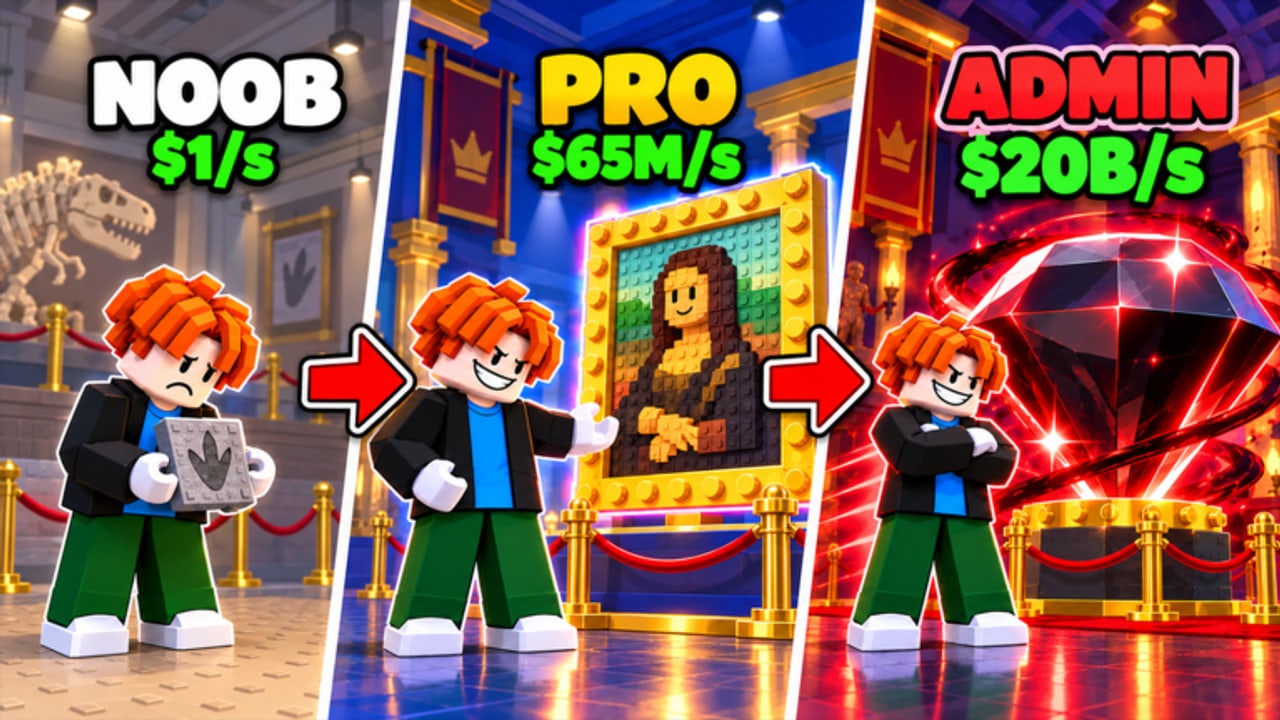
Steal an Exhibit lists Desktop, Mobile, Tablet, and Console on the official Roblox page. The loop does not change when you leave a keyboard: gain Speed, steal a crate, survive the run home, unpack it on your gallery, collect cash per second, spend that cash on more Speed. What changes is the prompt language and how much of the museum you can see at once. Exact keybind tables the HUD never prints are refused here — follow on-screen Interact labels instead. The verb list lives on controls.
All four device classes share the same six-player servers. A phone player and a PC player can snipe the same unlocked Eternal. Keep the crate centered, the lock honest, and the unpack finished before you flex.
Same verbs, different fingers
On mobile and tablet, steal is a tap on the crate or the on-screen Interact button after you close distance with the virtual joystick. On console, press the Interact icon the prompt draws for your pad. On PC the same verb often reads Interact or E. Mash less, aim more. If nothing appears, you are too far from the crate, another player already took it, or the wing is still streaming. Move closer, rotate the camera onto the box, then confirm once. First-hour pacing is on Getting Started.
Camera while you carry
Carrying a crate on a phone is a camera fight. Pinch or drag so the doorway stays in frame. Do not spin the stick looking at wallpaper while a neighbor waits at your plot. On tablet you get more FOV; use it to watch the aisle before you commit to a night wing. On console, nudge the look stick before you leave the wing so the exit is centered. Routes sit on how to steal. Night chase notes sit on night guardians.
If the crate clips a door frame and you drop the run, that is a camera problem, not a “mobile is broken” problem. Slow the stick for one second, re-center, then sprint. PC players lose crates the same way when the mouse is aimed at a wall.
Lock UI on a small screen
Find Lock or Base Lock on the HUD or at the plot entrance. Use the label the client prints. Lock before you open the trail shop, before you stand on a belt, and before you tab to another app. Unlock only when you are about to place a crate. Six players share the server whether your screen is five inches or twenty-seven. An unlocked Mona Lisa Eternal on the front row is still a donation on mobile. Layout habits are on how to protect.
Unpack uses the same Interact / tap language on an open slot. Cash per second starts after the reveal. Do not leave the plot unlocked for the whole unpack timer while you check notifications.
Treadmills and touch
Stand on a plaza or base treadmill. Presence on the belt is the input — there is no separate train key to invent. Each default step is +1 Speed. Storm Dragon Treadmill (149 Robux), Sakura Treadmill (349), and Infinity Treadmill (699) work in the plaza or on your base, in both worlds, with more Speed per step in World 2. Auto Training (199) trains without standing there, including offline — the cleanest buy for short mobile sessions. Longer grind notes live on Speed training. If Speed is not rising, close covering UI panels and step back onto the wood.
Flying Carpet on mobile
Flying Carpet costs 299 Robux and grants a x3 fly. It is a gamepass, not a default movement mode. After you own it, follow the in-game fly prompt — still an on-screen button or Interact, not a bind this wiki will invent. On a phone, fly helps clear door frames and night angles a narrow FOV hides. It does not replace lock, unpack, or the steal tap. Buy it after you can survive a night run on foot. Rank it on the gamepass tier list. Infinity Trail (1,299 Robux, x30) stays a late buy; x2 Income (199) and x2 Unpack (199) matter more in ten-minute sessions.
Six-player PvP on a small screen
You cannot see the whole gallery row at once on a phone. Sweep the camera across neighbor plots before you leave your lock off. Watch who just placed a crate — that unpack window is the snipe. Watch who is AFK on a belt with the door open. Lower graphics if the wing stutters during a chase, close background apps on tablet, and skip the heaviest night particle spikes if your device already thermal-throttles.
The economy does not care which device you hold. Official thumbnail incomes still climb from a palette around $140/s through Eternal and Admin posters. Your live floor is whatever you unpacked and locked. Play the prompts you see.
Session checklist for handheld and console
Spawn, claim like/favorite/group rewards, lock when you leave the plot, steal one crate at a time, keep the camera on the exit while you carry, unpack before the next wing, stand on a belt until the door is green, and respect night. If a prompt is missing, close distance and aim at the object. If a pass never shows a fly button, you do not own Flying Carpet. Read controls once for the verb map.
Frequently Asked Questions
Quick answers for Steal an Exhibit on Roblox.
Is Steal an Exhibit different on mobile?
No. Same six-player loop and the same verbs. Mobile and tablet use tap / on-screen Interact instead of a keyboard E.
How do I steal a crate on a phone?
Close distance with the joystick, aim the camera at the crate, then tap the crate or the Interact button the HUD shows. Do not invent extra keys.
Does Flying Carpet work on mobile and console?
Yes after you buy the 299 Robux pass. Follow the in-game fly prompt. It does not replace lock or unpack.
Why do I lose crates more often on mobile?
Usually camera and lock habits. Keep the exit centered while carrying, and lock before you open menus or tab out. See how to protect.
Can console players join the same servers as PC and mobile?
Yes. The listing supports Desktop, Mobile, Tablet, and Console in the same six-player experience.